Plan the month
for every client.
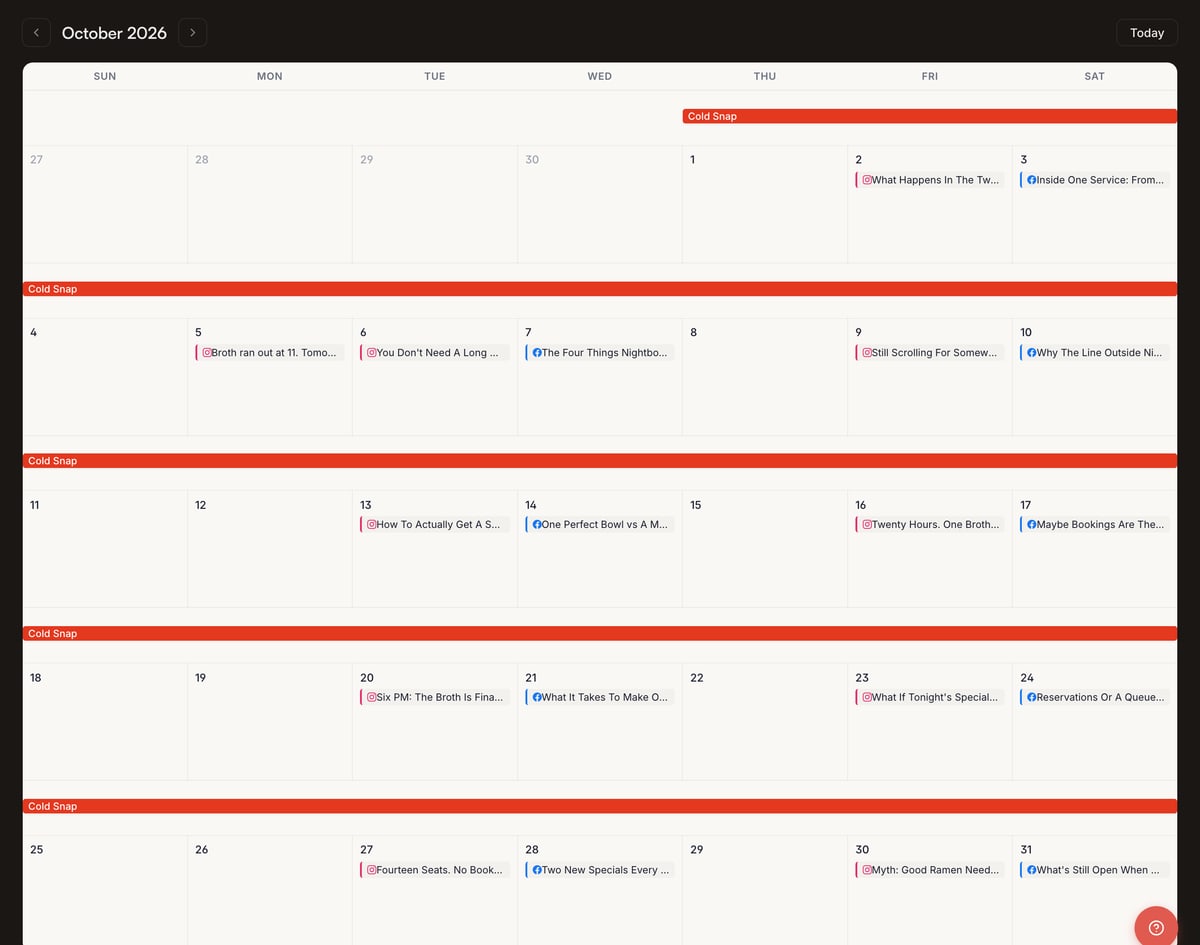
Say how often each platform posts and on which days. The planner writes a title and a brief for every slot, dated, before a word of the post is written.

One topic, five posts, each with a job.
A series takes one theme and works it through in order: hook, teach, answer the objection, prove it, ask. Each post lands on its own platform and day.

Campaigns, series, ideas, the one-off, and keyword lists.

Series
One idea becomes one post per platform, each titled for it. Or one theme worked through four or five angles in turn.

Ideas, from the knowledge base
A workspace with a knowledge base can suggest posts from it, with a platform and a day. Take one and a new post opens.

Quick Post
For the one-off: pick the platform, type the topic, and say whether the picture is the whole post or goes into a design.

Keyword lists
Each client can keep keyword lists and competitor domains. Add keywords one at a time or paste a list, then fetch search volume, difficulty and intent for the lot. Add a competitor’s domain and the gap shows what they rank for and you do not. Fetching the data spends credits, quoted before you press.
Example workspace shown: Nightbowl.
Statuses for a team. No client portal.
From posting days to a scheduled month.
- 01
Set the days
How often each platform posts, and on which days.
- 02
Read the cards
A title and a brief per slot, dated. Keep, change or delete before anything is written.
- 03
Fill the gaps
A series for a theme; a suggested idea; Quick Post for the rest.
- 04
Write, picture, schedule
Each card goes through writing and imagery, then to LinkedIn.
What people ask.
Can a client approve posts themselves?
Not through a portal. Statuses are for your team; share a preview or an export.
What does planning cost?
The planner, series and suggestions spend credits for the writing they do, and the charge appears in the ledger against that client. Every figure is on the pricing page.
If a campaign slips a week, does everything move?
No. Change statuses or delete a batch from the list view; dates move card by card.
Where do the suggested ideas come from?
From that workspace’s knowledge base, on the dashboard and in the series builder. They remember what you dismissed.
Does the calendar post to Instagram?
No. LinkedIn profiles and company pages publish from the calendar. Instagram, Facebook and X: one click copies the caption, you paste.